How to Build a Weekly Content Calendar with AI and Notion
Planning content week by week doesn't have to involve scattered notes, forgotten ideas, or last-minute publishing. Learn how to combine AI with Notion to build a repeatable weekly content calendar that helps you organize ideas, streamline production, and publish consistently across multiple platforms.
How to Build a Weekly Content Calendar with AI and Notion
Consistency is one of the biggest challenges creators face. Most don't struggle because they lack ideas. They struggle because ideas are scattered across notebooks, screenshots, voice notes, browser bookmarks, and messaging apps. By the time they're ready to create, they spend more time searching for inspiration than actually producing content.
A weekly content calendar solves this problem by giving every idea a place, every task a deadline, and every piece of content a clear publishing schedule.
When combined with AI and Notion, a content calendar becomes more than a planning document. It evolves into a centralized operating system for your entire content workflow. AI helps generate ideas, organize information, and streamline repetitive tasks, while Notion keeps everything structured, searchable, and accessible.
This guide walks through a practical system that creators, freelancers, marketers, and small teams can use to build a repeatable weekly content calendar without overcomplicating their workflow.
Who This Guide Is For
This workflow is designed for anyone who creates content consistently.
It is especially useful for:
Bloggers managing long-form articles
YouTubers planning weekly videos
Newsletter writers
Social media creators
Freelancers managing multiple clients
Startup founders building a personal brand
Small marketing teams
Agencies coordinating content production
Whether you publish twice a week or every day, this workflow scales according to your schedule.
Why Most Content Calendars Fail
Many creators begin with enthusiasm by creating an elaborate spreadsheet or downloading a beautifully designed Notion template.
A few weeks later, the calendar is abandoned.
The problem isn't the software. It's the workflow behind it.
Common reasons content calendars fail include:
Planning too far ahead without flexibility
Collecting ideas but never organizing them
Mixing research, writing, and publishing into one task
Forgetting deadlines
No prioritization system
No clear publishing process
Spending more time managing the calendar than creating content
A successful content calendar should reduce mental effort, not increase it.
Your calendar should answer three simple questions every week:
What am I publishing?
When am I publishing it?
What needs to be completed before publishing?
If it accomplishes those three things, it's already valuable.
Why AI and Notion Work So Well Together
AI and Notion complement each other because they solve different problems.
AI generates, summarizes, categorizes, and suggests.
Notion stores, organizes, tracks, and connects information.
Think of it this way:
AI | Notion |
|---|---|
Brainstorms ideas | Stores ideas |
Creates outlines | Organizes projects |
Suggests headlines | Tracks progress |
Summarizes research | Maintains documentation |
Generates first drafts | Acts as your content database |
Neither tool replaces the other.
Instead, they form a workflow where AI handles creative acceleration while Notion becomes the single source of truth for your content operations.
The Weekly Content Planning Workflow
Rather than planning an entire month at once, focus on one week.
Weekly planning gives you enough structure to stay consistent while remaining flexible enough to adapt to trends, breaking news, or unexpected opportunities.
The workflow consists of seven stages:
Collect ideas
Prioritize topics
Plan the week's schedule
Research each topic
Draft the content
Review and prepare assets
Publish and measure performance
Each week follows the same cycle, making content creation predictable instead of stressful.
Step 1: Build an Idea Inbox
Every creator has ideas throughout the day.
The problem is that they're captured in random places.
One idea goes into a phone note.
Another gets saved as a browser bookmark.
A third is forgotten entirely.
Instead, create a dedicated Content Inbox inside Notion.
Every idea, no matter how small, goes into this single database.
Your inbox might include fields such as:
Property | Purpose |
|---|---|
Idea Title | Working title |
Source | YouTube, Reddit, Client, Personal Idea |
Platform | Blog, Newsletter, YouTube, LinkedIn |
Topic Category | SEO, AI, Marketing, Productivity |
Priority | High, Medium, Low |
Status | Inbox |
Date Added | Reference |
Don't worry about organizing ideas immediately.
The goal is simply to capture them before they're forgotten.
Let AI Help Organize Your Ideas
Once you've collected enough ideas, AI can help organize them.
Instead of manually reviewing dozens of notes, ask AI to:
Group similar ideas together.
Identify recurring themes.
Remove duplicates.
Suggest missing topics.
Recommend logical content series.
Highlight evergreen opportunities.
For example, if your inbox contains:
Best AI writing tools
AI prompts for creators
Notion workflow
YouTube scripting
Repurposing blog posts
AI may identify a broader content cluster around AI Workflows for Creators, allowing you to build several related articles instead of isolated posts.
This creates stronger topical authority while making future planning easier.
Step 2: Prioritize Content That Matters
Not every good idea deserves immediate attention.
Prioritization ensures you're working on content with the highest potential impact.
A simple scoring framework works well.
Score each idea from 1 to 5 based on:
Audience demand
Business relevance
Search opportunity
Evergreen value
Difficulty
Example:
Topic | Score |
|---|---|
AI Workflow Guide | 24 |
Weekly Planning in Notion | 22 |
ChatGPT Prompts | 20 |
Productivity Hacks | 16 |
Workspace Tour | 12 |
This prevents emotional decision-making.
Instead of asking,
"What do I feel like creating today?"
you're asking,
"Which topic creates the most value?"
Step 3: Plan Your Weekly Schedule
Now it's time to transform ideas into an actual publishing calendar.
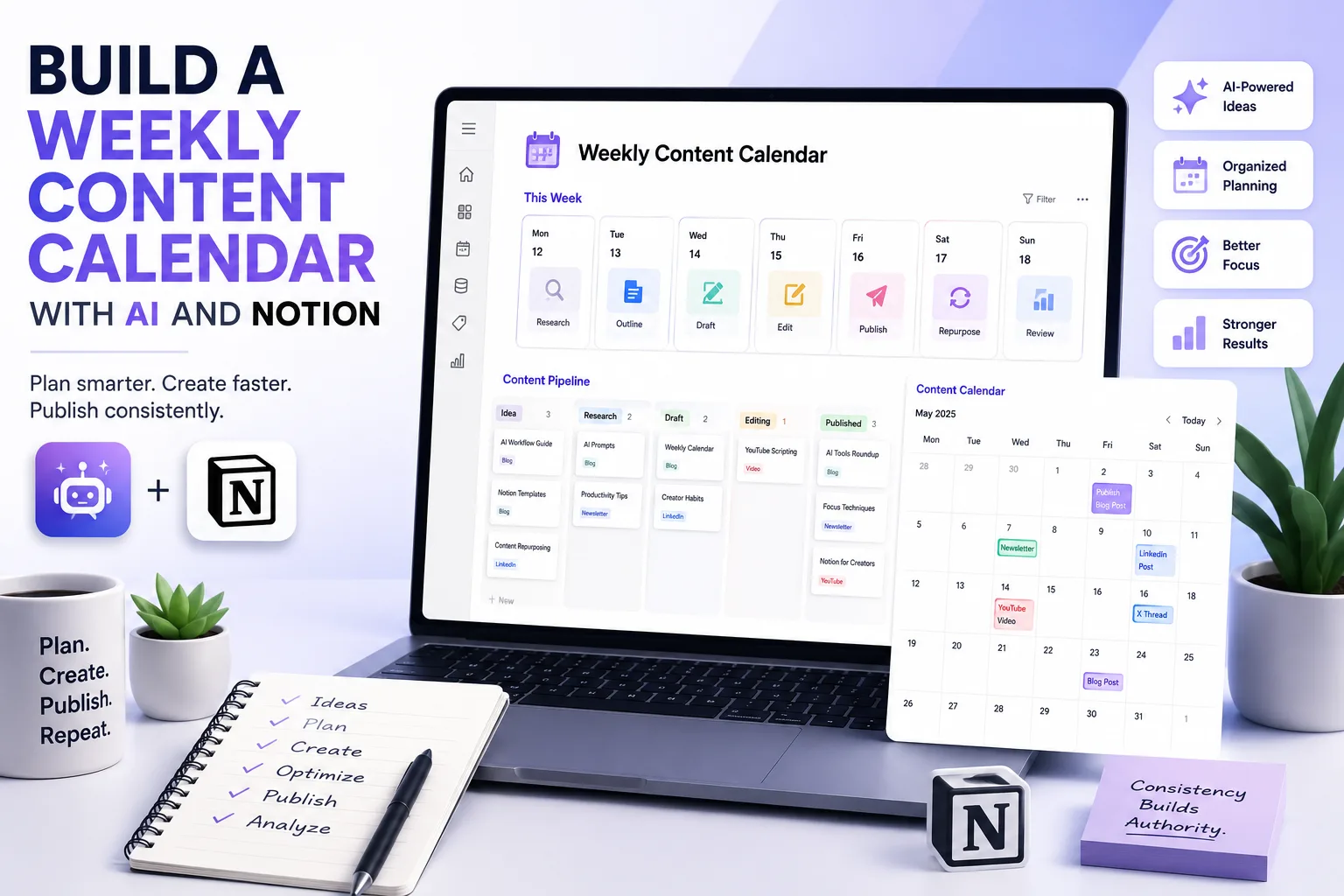
A simple weekly schedule might look like this:
Day | Task |
|---|---|
Monday | Research |
Tuesday | Outline |
Wednesday | First Draft |
Thursday | Edit & Design |
Friday | Publish |
Saturday | Repurpose |
Sunday | Analytics & Planning |
Notice that publishing is only one day.
The rest of the week focuses on preparation.
This reduces deadline pressure and improves quality.
Building Your Weekly Dashboard in Notion
Your Notion dashboard doesn't need dozens of databases.
Start simple.
Include sections like:
This Week
Displays all content scheduled for publication.
Ideas Inbox
Stores every future content idea.
Content Pipeline
Shows progress such as:
Idea
Research
Outline
Draft
Editing
Ready
Published
Using a Kanban board makes it easy to see where every piece of content currently sits.
Content Calendar
A calendar view displays planned publishing dates.
This allows you to identify scheduling conflicts or publishing gaps quickly.
Resource Library
Store:
AI prompts
Templates
Screenshots
Brand assets
Research documents
Writing guidelines
Instead of searching through multiple folders, everything remains connected to the relevant content project.
Step 4: Use AI to Generate Weekly Content Plans
Once your dashboard is ready, AI can generate a complete weekly plan within minutes.
Rather than asking:
"Give me content ideas."
Provide context.
For example:
"I'm an AI productivity blogger publishing one article, one newsletter, three LinkedIn posts, and two X threads each week. Based on these goals, create a publishing schedule using topics already stored in my content backlog."
Providing context produces much more useful results.
AI performs best when it understands your audience, publishing frequency, preferred platforms, and content goals.
Create Reusable Prompt Templates
One of the biggest productivity gains comes from saving prompts instead of rewriting them every week.
Consider building templates for tasks such as:
Weekly content planning
Blog outlines
Video scripts
Newsletter drafts
Social media repurposing
SEO optimization
Content summaries
Headline generation
These templates ensure consistency while reducing repetitive work.
As your prompt library grows, planning each week becomes faster and more reliable.
Step 5: Connect Related Content Instead of Creating Everything from Scratch
One of the most effective habits successful creators develop is thinking in content systems, not isolated posts.
Instead of planning unrelated topics every week, organize your content around a central theme.
For example:
Main Article
How to Build a Weekly Content Calendar with AI and Notion
Supporting content:
Best Notion Templates for Content Creators
AI Prompts for Weekly Content Planning
How to Repurpose One Blog into 10 Social Posts
Common Content Planning Mistakes
Notion vs Trello for Content Management
Each supporting piece reinforces the main article while giving readers a logical next step.
This approach also makes internal linking easier and improves the overall user experience.
Step 6: Automate Repetitive Planning Tasks
Planning content manually every week quickly becomes repetitive.
The good news is that many of these repetitive tasks don't require creative thinking, making them ideal candidates for automation.
With AI and automation platforms such as Notion AI, Zapier, or Make, you can reduce the time spent on administrative work while keeping your content pipeline organized.
Examples include:
Automatically adding new content ideas from forms into your Notion Inbox.
Creating draft pages when a topic is approved.
Sending reminders before publishing deadlines.
Generating task checklists for every new article.
Updating content status when work is completed.
Logging published articles into a performance database.
Automation should remove repetitive work, not decision-making. The creative direction of your content should always remain in your hands.
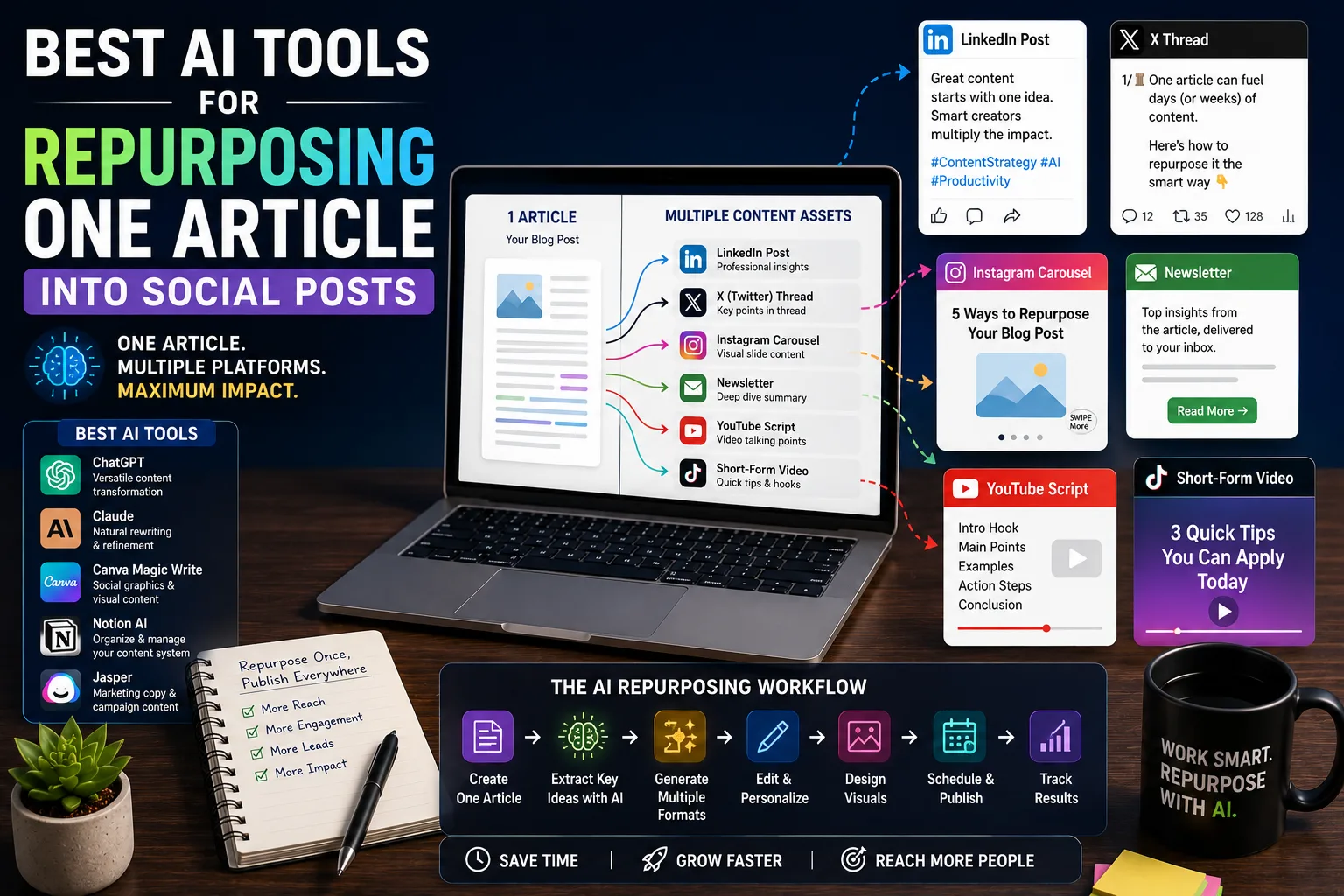
Step 7: Turn One Weekly Plan into Multiple Content Assets
One of the biggest productivity advantages of using AI is content repurposing.
Instead of treating each platform as a separate project, think of every blog post as the foundation for an entire week's worth of content.
For example:
Original Content | Repurposed Content |
|---|---|
Blog Article | LinkedIn post |
Blog Article | X (Twitter) thread |
Blog Article | Newsletter |
Blog Article | YouTube video outline |
Blog Article | Instagram carousel |
Blog Article | Short-form video script |
Rather than asking AI to create six unrelated pieces of content, ask it to adapt your existing article for different platforms.
This keeps your messaging consistent while dramatically reducing production time.
A Practical Weekly Workflow Example
Imagine you're a creator who publishes:
One blog article
One newsletter
Three LinkedIn posts
Two X threads
Instead of planning everything separately, your week could look like this.
Monday
Review analytics from last week.
Select one topic from the Idea Inbox.
Gather research and references.
Let AI organize your notes.
Tuesday
Generate a detailed outline.
Expand the outline into key talking points.
Identify screenshots, examples, or visuals you'll need.
Wednesday
Write the first draft.
Improve transitions.
Add original insights and practical examples.
Thursday
Edit for clarity and accuracy.
Optimize headings and formatting.
Create visuals or graphics.
Friday
Publish the article.
Share it with your newsletter audience.
Schedule LinkedIn and X posts.
Saturday
Convert the article into additional formats.
Prepare next week's idea backlog.
Sunday
Review performance.
Archive completed projects.
Plan the upcoming week.
Following the same rhythm every week removes unnecessary decision fatigue. Instead of wondering what to do next, your workflow already provides the answer.
Organizing Your Notion Database
A well-designed Notion database is more valuable than a visually impressive one.
Focus on the information you'll actually use.
Recommended properties include:
Property | Description |
|---|---|
Title | Content title |
Content Type | Blog, Video, Newsletter, Social |
Status | Idea, Research, Draft, Editing, Published |
Priority | High, Medium, Low |
Publish Date | Scheduled publication |
Target Platform | Website, LinkedIn, YouTube, Newsletter |
Topic Cluster | Related content category |
Keywords | Primary search phrase |
Owner | Useful for teams |
Notes | Research and references |
As your content library grows, these properties make filtering and searching much easier.
Keep Your Calendar Flexible
One mistake many creators make is scheduling every hour of every day.
Content creation is rarely predictable.
Research may take longer than expected.
Industry news might create a new opportunity.
A client project could suddenly become urgent.
Leave room for flexibility.
Instead of scheduling every minute, reserve buffer time each week for unexpected work.
A practical guideline is:
70% Planned Work
20% Improvements and Revisions
10% Unexpected Opportunities
This keeps your schedule realistic without becoming overwhelming.
Common Mistakes When Using AI for Content Planning
AI can speed up planning, but it can't fix a poor process.
Watch out for these common mistakes:
Planning Too Much at Once
Creating a six-month calendar sounds productive, but priorities often change.
Weekly planning provides enough structure while remaining adaptable.
Collecting Ideas Without Reviewing Them
An overflowing idea database isn't useful if nothing gets published.
Review your backlog every week and remove outdated or duplicate ideas.
Using AI Without Context
Generic prompts produce generic plans.
Always provide AI with information about:
Your audience
Content goals
Publishing schedule
Preferred platforms
Brand voice
The more context AI has, the more relevant its suggestions become.